
Setting up an individual myGov account
Getting started
Create an account
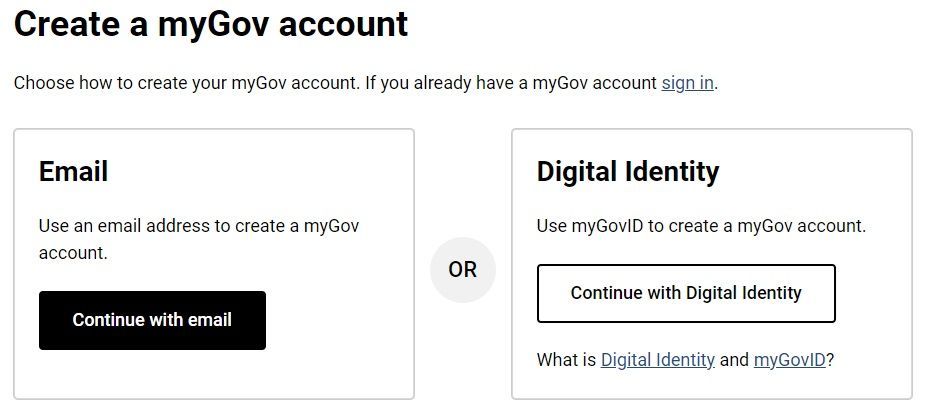
Begin by visiting my.gov.au and creating a myGov account. Sign up using an exclusive email address to ensure security. Adding your Australian mobile number is advised, facilitating the receipt of security codes for login verification.
If you opt out of adding your mobile number, you must set up either the myGovID app or the myGov Code Generator app to establish a secure connection with the ATO.
Sign in
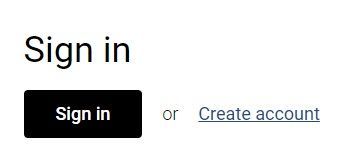
You can sign in to your myGov account using the following options:
· myGovID app.
· SMS codes with your myGov username and password.
· myGov code generator app with your myGov username and password.
This option is only recommended if you don’t have an Australian mobile number or have limited mobile reception or are travelling overseas.
If you want to change how you sign-in to myGov, go to Account settings, select Sign in options and follow the prompts.
Link Government services
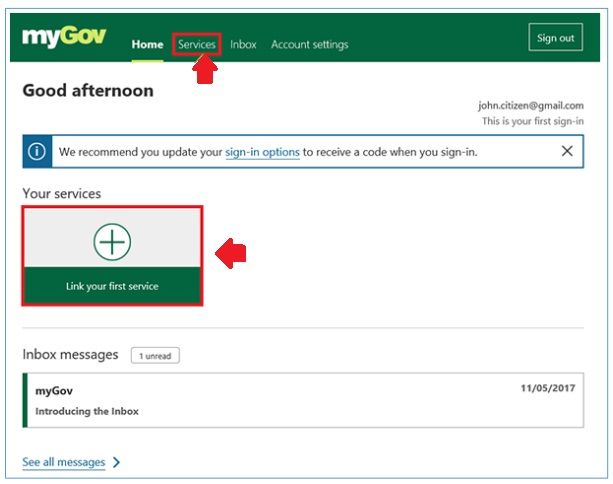
Choose the government services you wish to link, such as the ATO, Centrelink, or Medicare. Prioritise linking the ATO, a crucial step for all Australian taxpayers. Before initiating the linkage process, gather the necessary information and ensure you're not using 'Answer a secret question' as your myGov sign-in method to avoid unlinking from the ATO later on.
To link to the ATO:
- Sign in to your myGov account.
- Navigate to the Services tab on the myGov home page.
- Under "Link a service," select Australian Taxation Office.
- Respond to personalised questions related to your tax record.
Most people can link online in a matter of minutes. If you can't, select the option “Use a linking code” and then phone the ATO to get a unique linking code. Once you've created your myGov account and linked to the ATO, you can download the ATO app to use their online services from a secure browser, anywhere in the world.
If you prefer watching a step-by-step guide, we've got you covered! Below is a helpful video that walks you through the process of setting up your individual myGov account. Whether you prefer reading or watching, we've made it easy for you to get started with myGov.
Troubleshooting
When you can't login to myGov
If you’ve forgotten your password, have permanently left Australia, or no longer have access to your device that receives security codes, you won’t be able to login.
· If you forget your password, you can reset it with here.
If no longer have access to your device for receiving security codes, or have left Australia, you can find help
here.
Need help?
Contact Ascent for assistance with the ATO’s online services. Our accountants can discuss your options and the importance of setting up your myGov account. If you’re having problems setting up your account, it’s best to call the myGov help desk directly on 13 23 07.
Need help with your accounting?